This article describes how to manage your whitelist in GuardREC® Compliance.
To prevent recording communication with your personal contacts, such as family and friends, you can put them on your whitelist.
Make sure to include the country prefix, such as +47, when adding phone numbers.
-
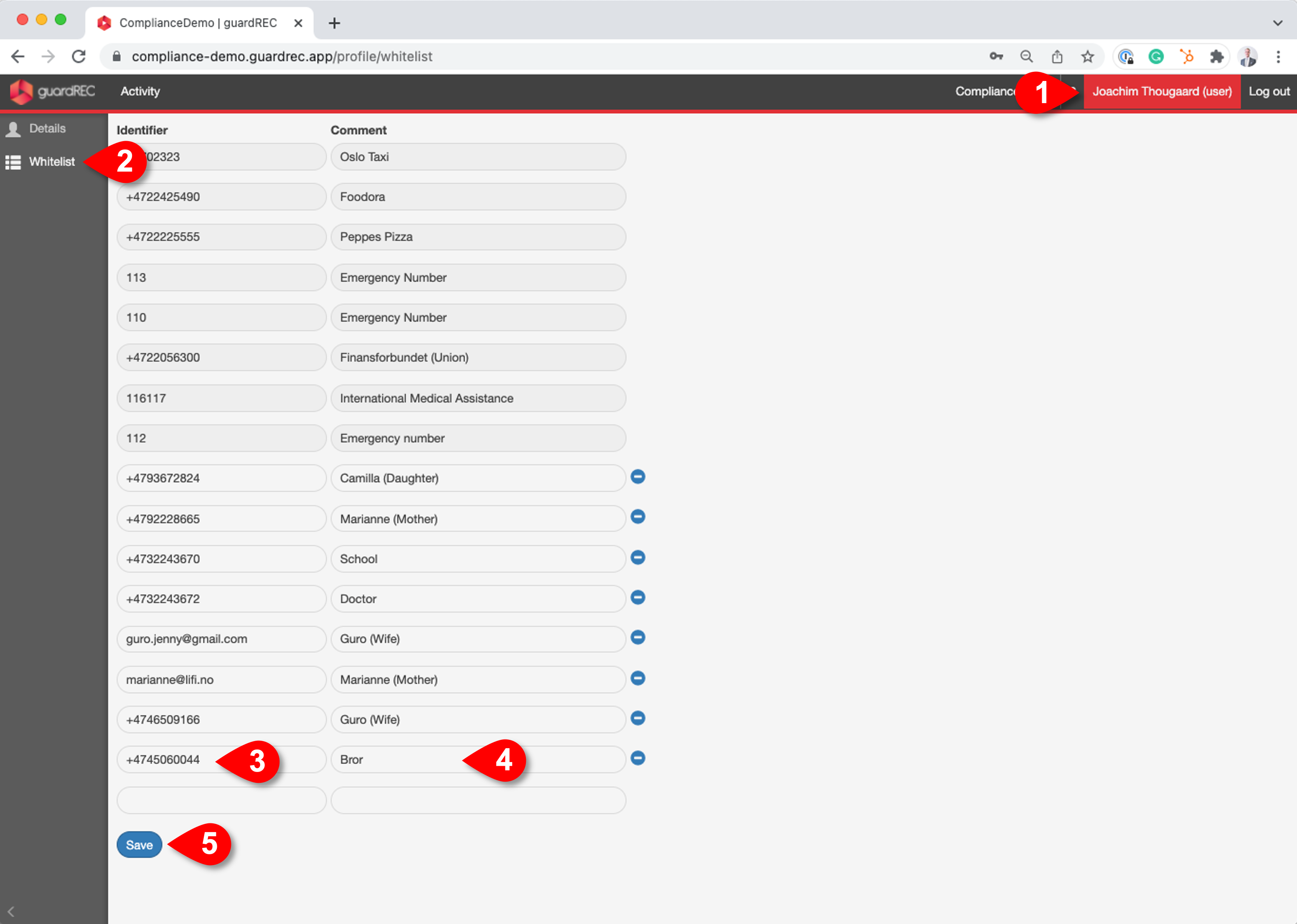
Click on your username in the top right corner of the application.
-
Go to Whitelist in the left sidebar
-
Enter the contact phone number in the Identifier field.
-
Enter the contact name and relation in the Description field.
-
Click Save.
Ensure you don't have any duplicate Identifiers when saving.