
This article describes how to enable two-factor authentication (2FA) in GuardREC® Compliance.
Step 1: Login to GuardREC® Compliance
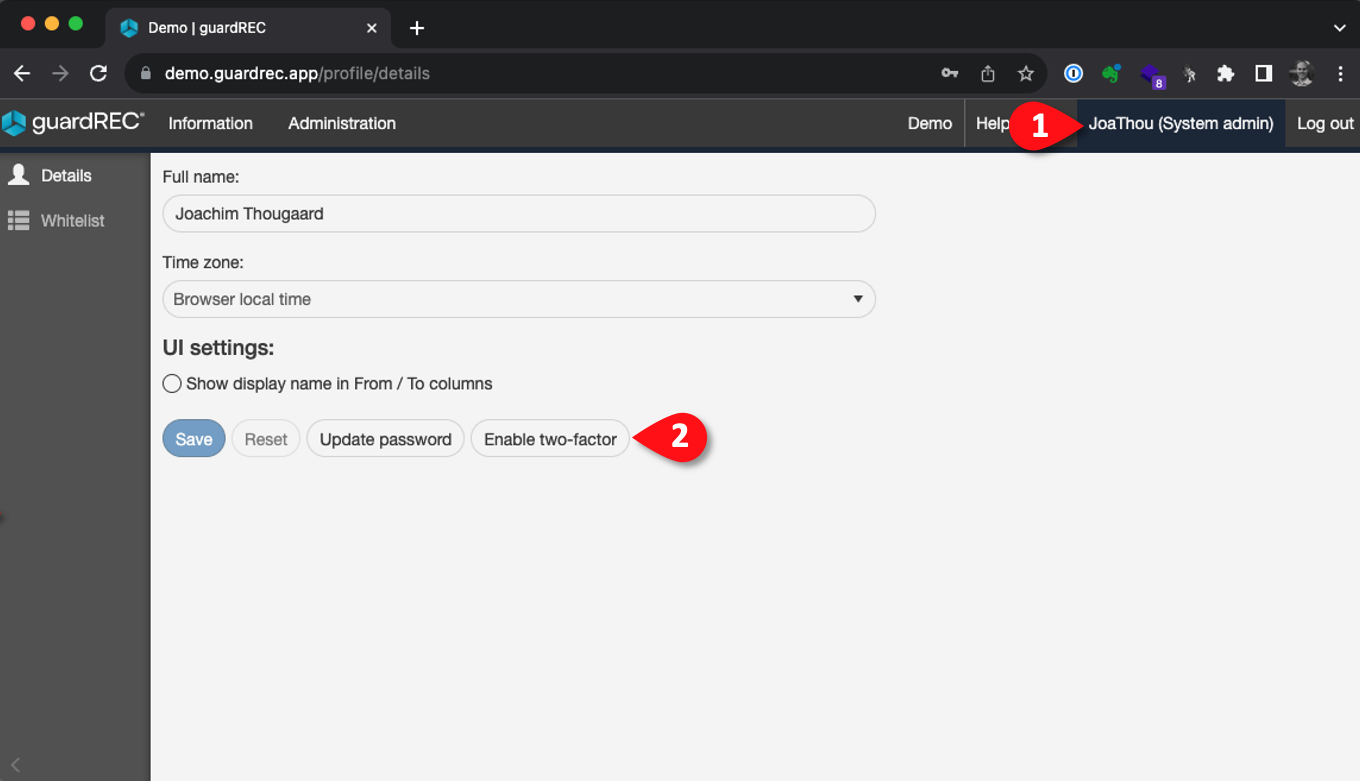
Step 2: Navigate to the Enable two-factor setting
-
Click on your user name in the top right corner of the application.
-
Click Enable two-factor.
Step 3:
-
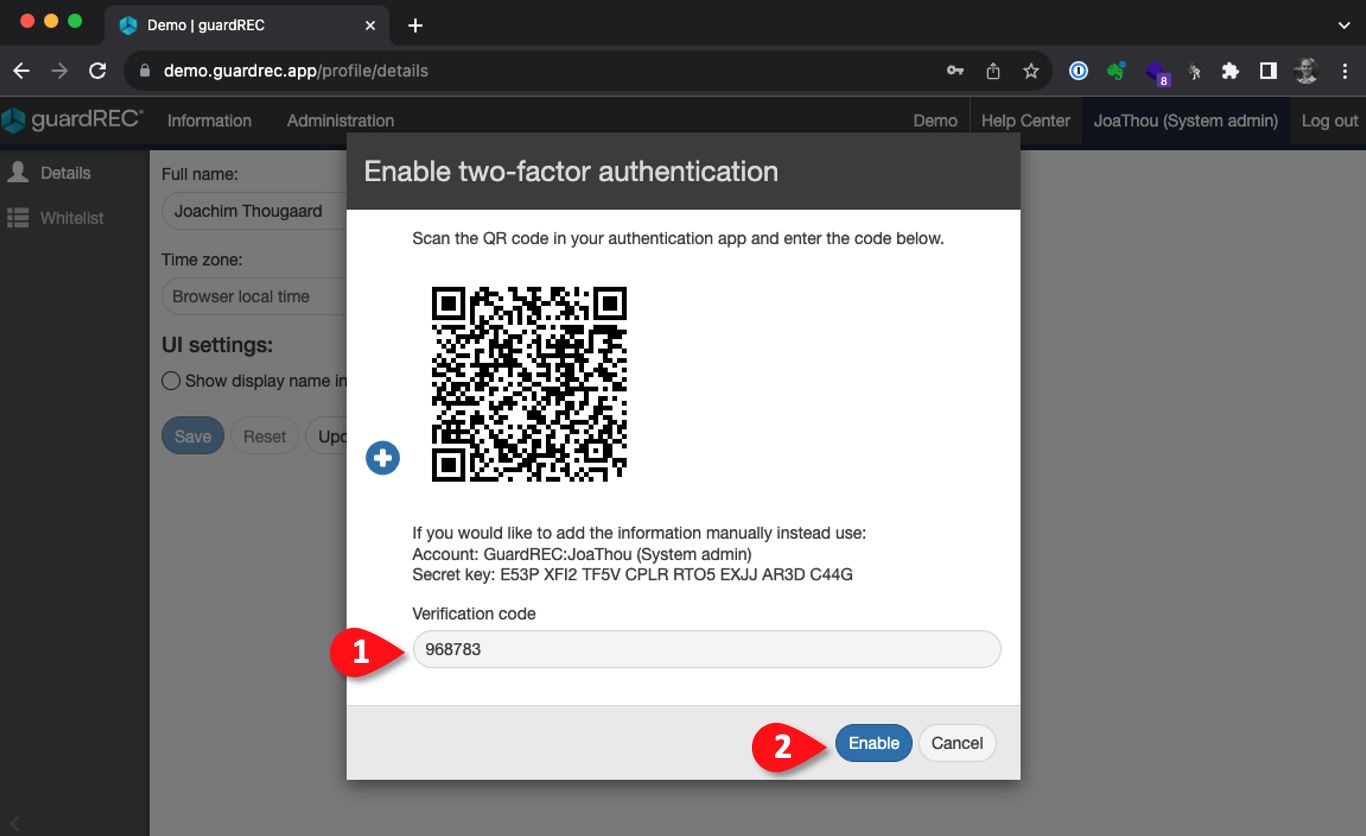
Scan the QR code with your authentication app (E.g. Microsoft Authenticator)
-
Enter the verification code and click Enable.
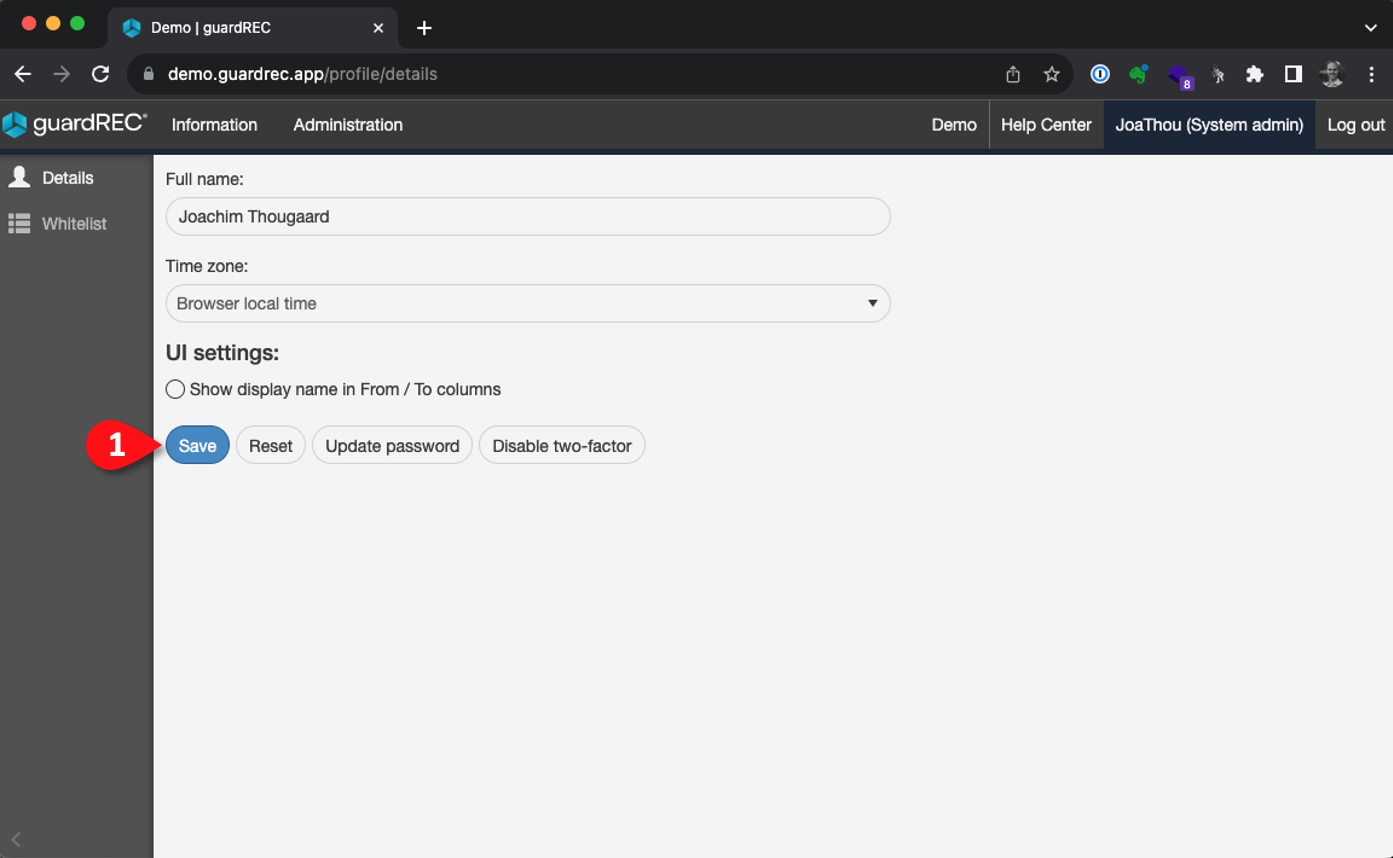
Step 4: Click Save
Related articles