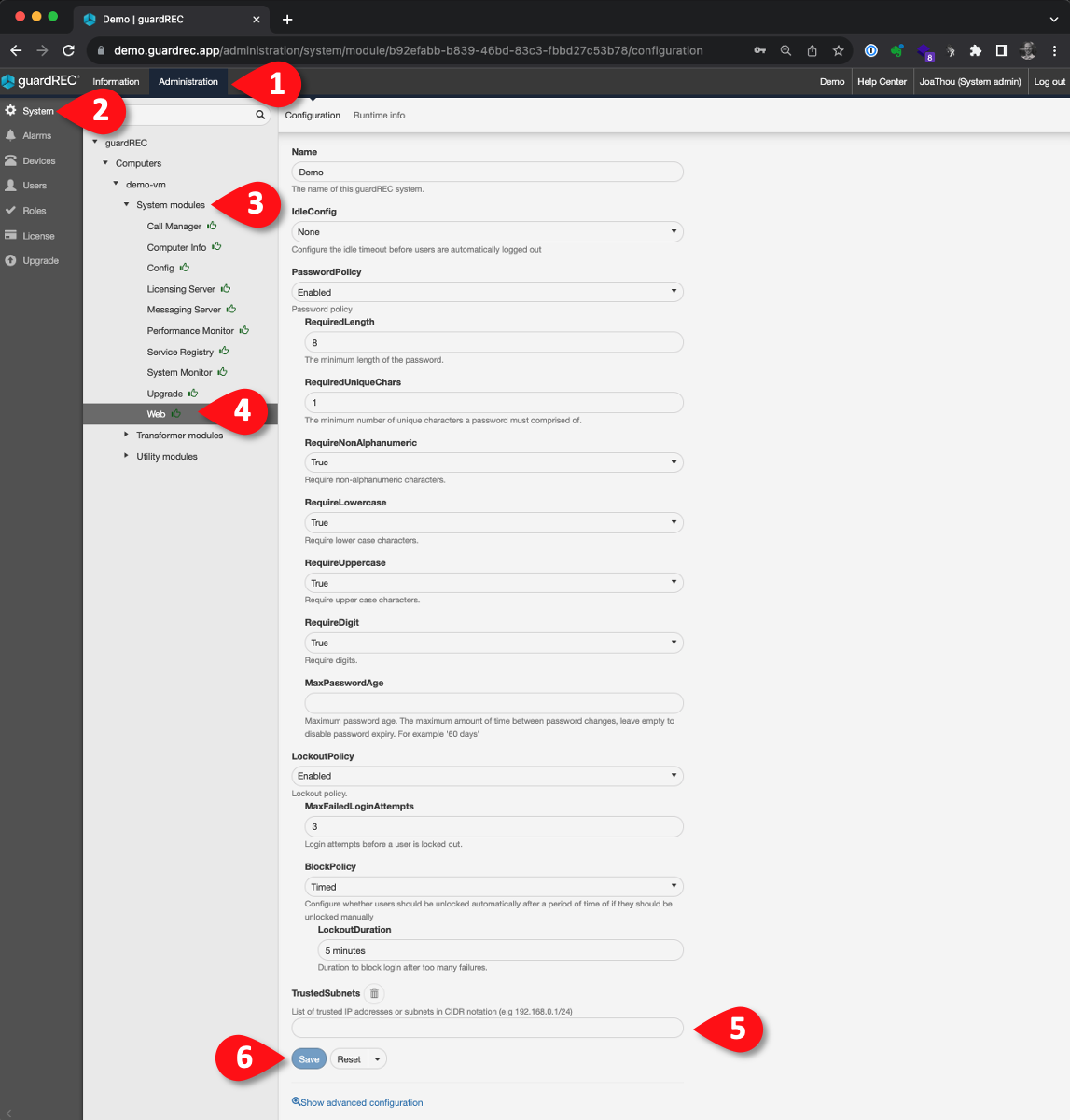
This article explains how to set up IP filtering by enabling "Trusted Subnets" in GuardREC® Compliance.
IP filtering allows you to specify which IP addresses can access the system, adding an extra layer of security.
To enable Trusted Subnets, you must sign in as a System Admin with the Manage System permission. If you do not have this permission, please contact your System Admin or support@guardrec.no.
Step 1: Log in to GuardREC® Compliance as a System Admin with the Manage System permission.
Step 2: Set Password Policy
-
Go to the Administration Tab.
-
Click System on the left menu.
-
Expand the Computers module until the System modules appear.
-
Click on the Web module.
-
In the Trusted Subnets section, input the IP addresses you trust and wish to allow access.
-
Click Save to save your changes.